Stuck On "Checking Facebook Session"?
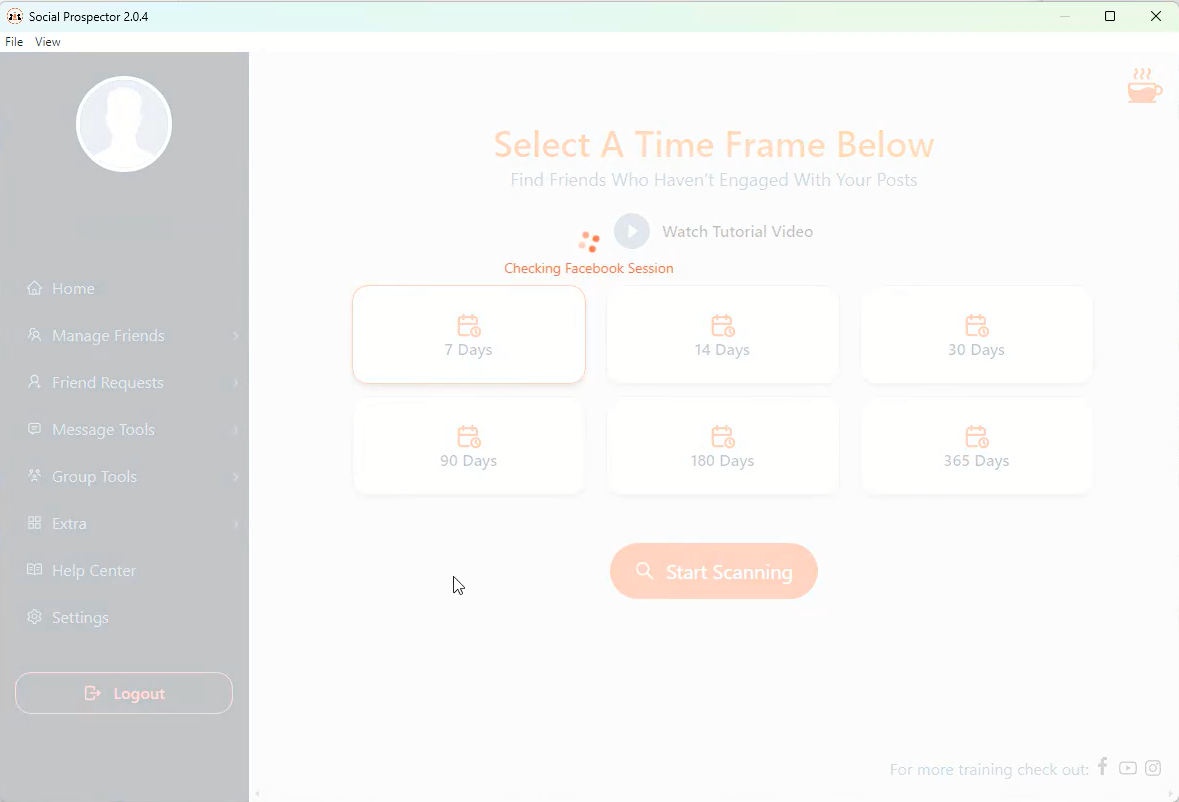
If you experience Social Prospector freezing after logging in, as shown in the image above, there are two possible causes:
-
Google Chrome is not installed. Please ensure you have Google Chrome installed by downloading it here: https://www.google.com/chrome/
-
Anti-virus whitelisting is required. Your anti-virus software may be preventing Social Prospector from functioning correctly. We recommend whitelisting our application within your anti-virus program.
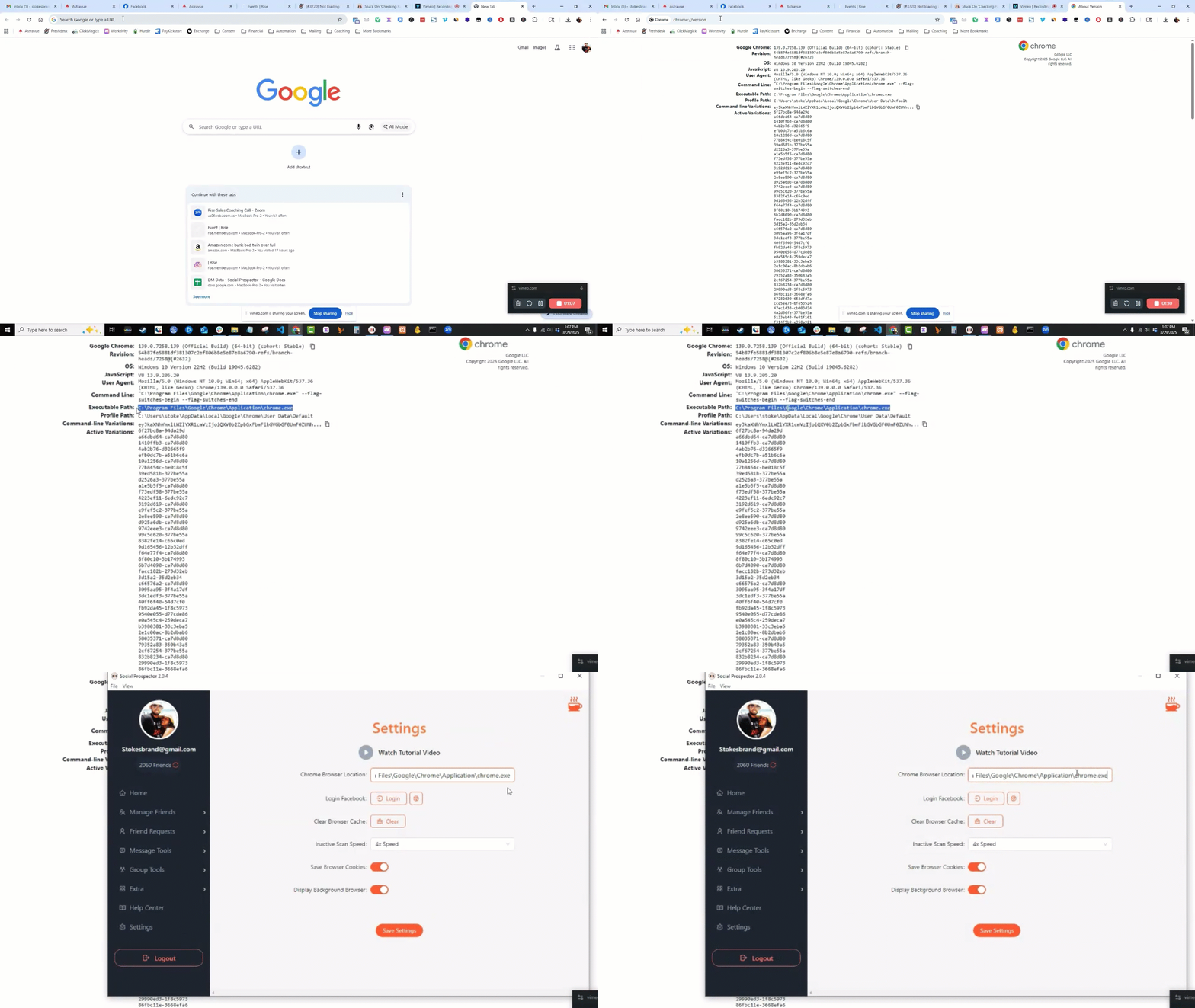
Lastly, we need to make sure that you have the correct Chrome path set on the settings page inside of Social Prospector:
Just like the image shows below, you can locate this Chrome path by pasting in the following command into your Chrome browser search bar: chrome://version/
Locate the Executable path and paste it.
If you are still experiencing this issue after reviewing both of those solutions - submit a support ticket here: https://prospectorproducts.freshdesk.com/