Mass Messenger Troubleshooting
Cannot Send To New Friends:
There are times when Facebook restricts users from sending messages to new friend connections. This is an anti-spam measure implemented by Facebook, typically applied to new accounts. If this happens, you will need to wait for your account to mature and for Facebook to assess your overall activity to ensure you are not engaging in spam-like behavior before they lift this restriction.
Can't Send To Recipient:
Please proceed with the following steps, which will help us determine if you're experiencing a block:
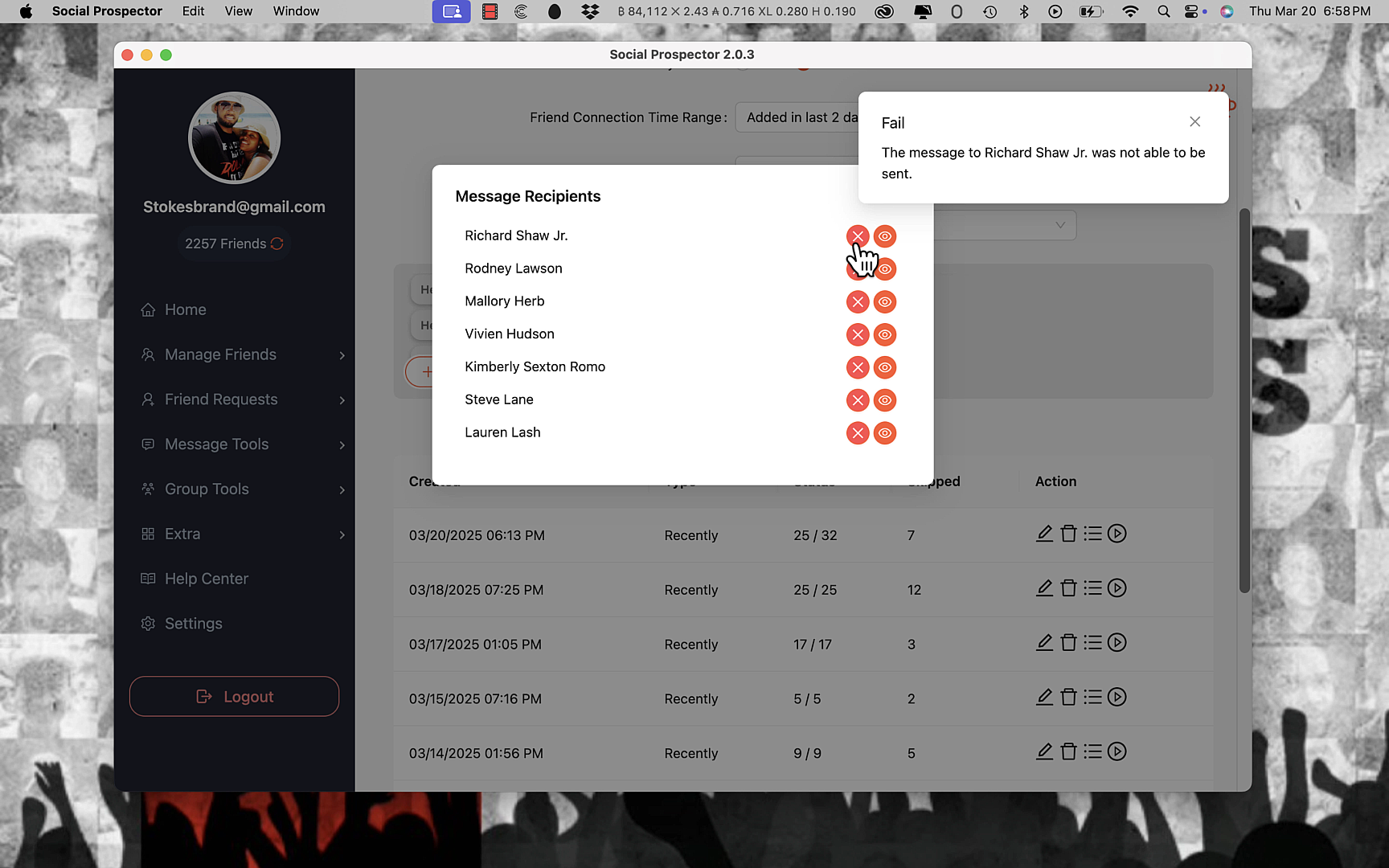
- Go to your broadcast or Mass Messenger campaign in Social Prospector
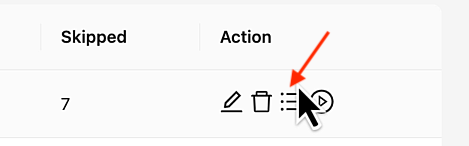
- Click on the "list" icon and then click on the "eye" icon to view that recipient in Facebook Messenger
- Manually send your DM to that person
IMPORTANT: Even though this is a manual test you MUST send the same exact message to the same exact recipient that you attempted to send to inside Social Prospector when running into the error.
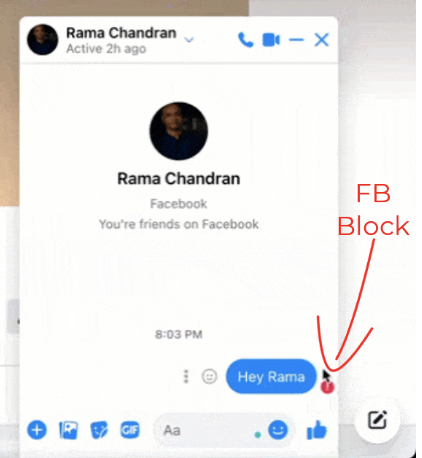
If you see the red exclamation mark as shown in the image below, there are 3 possibilities:
- Facebook may have temporarily soft-blocked you from sending messages
- The recipient has been deactivated by Facebook, or the recipient has blocked you.
End To End Encryption Messenger Code Requirement:
In order for you to use the Mass Messenger and broadcast features you will need to ensure that you have created and entered in your encryption code that is now required by Facebook.
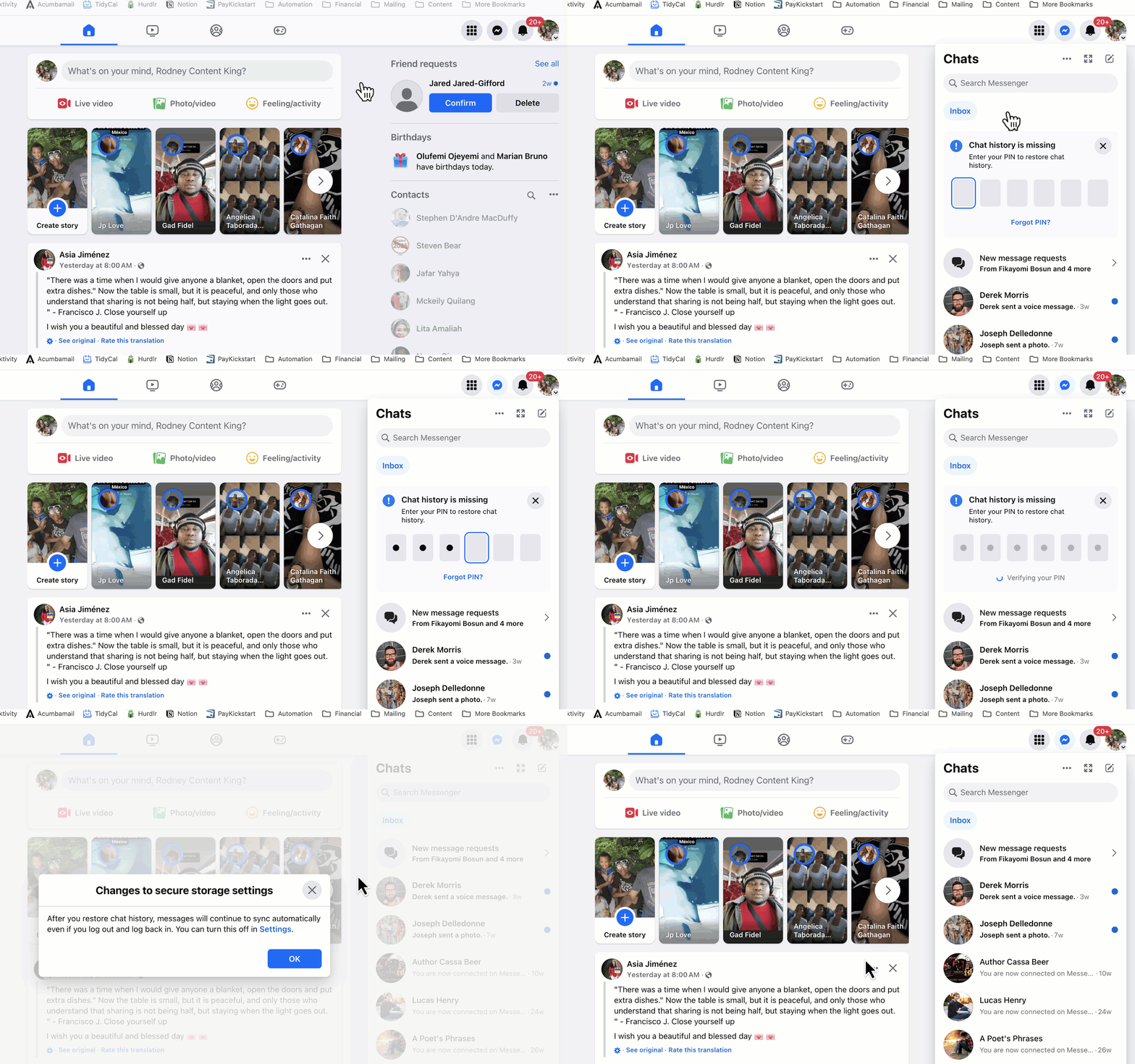
Here are more details from Facebook on how this process works: https://www.facebook.com/help/messenger-app/1084673321594605
Recipient Not Blocked But Still Can't Send To Them?
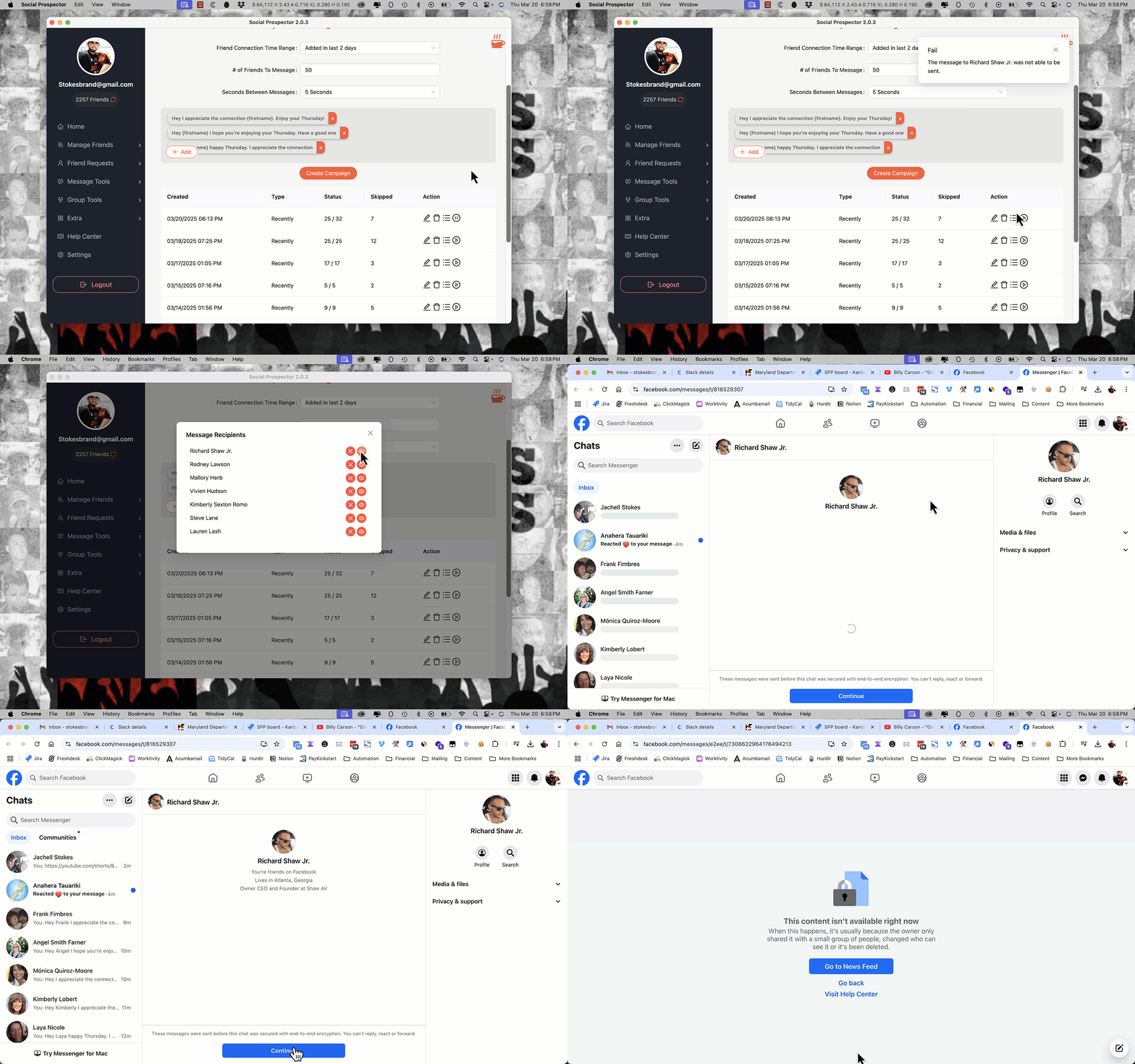
At times, you may encounter a pop-up message in the Mass Messenger feature indicating an error when attempting to send a message to a specific recipient.
To investigate the issue, you will need to manually click the list icon, "eye" icon and then click the "Continue" button inside Facebook Messenger.
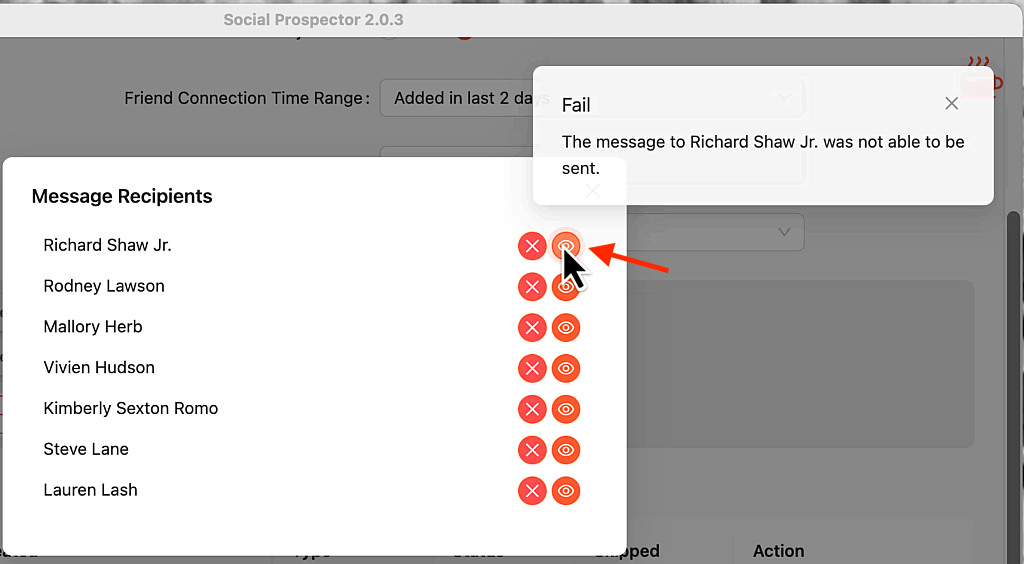

This issue typically arises due to a Facebook bug where clicking the End-to-End encryption "Continue" button redirects users to an error page.
Normally, clicking the button should automatically open the Messenger chat for your message to be sent. However, since this bug occurs on Facebook's end, there is currently no fix for it.
The best course of action is to remove the person from the sending list to resume sending to the remaining list.